Cloud services give every company access to enterprise technology that used to be available only to large corporations. With Microsoft 365, your team gets modern tools that work on every device they use.
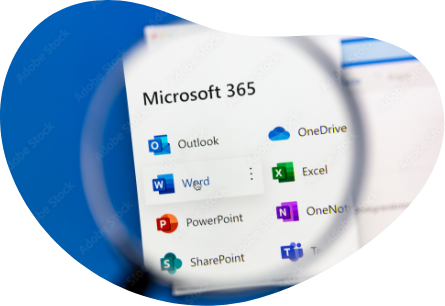
A monthly or annual subscription that includes the Microsoft Office apps you already know, like Outlook, Word, and Excel, plus business tools like OneDrive for Business, SharePoint, Forms, and Planner.
Enterprise technology at a fair price, no matter how big your company is. Start with one user. Add more as you hire. Remove them when you need to. Scale up or down to match your actual needs.
Different plans that work for different roles in your organization. Start with a basic plan. Move to higher tiers when you need more capabilities for your team.
Tools to secure your devices and manage them from one place. Your team accesses company data from anywhere. You know it’s protected by enterprise security.
Benefits of Microsoft 365
No servers to buy or maintain. No electricity costs. No server room required.
Flexible subscriptions per user. Everyone works across all their devices: Windows and Mac computers, Android and iOS phones and tablets.
1 TB of cloud storage per user. Sync and share data across devices and teams.
Strong security with safe access from any device. No need to email files as attachments, which reduces the risk of data leaks.
Always current Microsoft Office apps with the latest features. Everyone in your organization uses the same version.
Clear view of your IT environment. See which services and apps specific users are actually using.
How we can help
Move your email to Exchange Online / Microsoft 365
We’ve migrated companies from Exchange Server, IceWarp, Kerio Server, Lotus Notes, IMAP systems, Linux servers, and more.
We handle complete transitions from various platforms, including Google Workspace. We’ll help you find the right setup for how you work.
Review your current Microsoft 365 usage and make it better
We help customers organize their teams in Microsoft Teams and connect them to SharePoint, Forms, OneNote, Planner, Lists, and other tools.
Train your team on Microsoft 365 through hands-on workshops
No presentations. Real examples and practice with actual scenarios so people remember. You’re already paying for Microsoft 365. Get the most from it.
Set up or review your Microsoft 365 security
Security options in Microsoft 365 are extensive. We make changes carefully while keeping things simple for your users.
Handle all Microsoft 365 administration and IT management
No internal IT team? We can take care of everything.
Help with specific Microsoft 365 projects
When you need a partner with real experience, we’ll support your IT on strategic work or provide expertise where figuring it out yourself would take too long.
Answer your Microsoft 365 questions
Not sure about something? Can’t find an answer? Contact us and we’ll help.
Look at how your organization works today
We’ll review your current processes and show how Microsoft 365 tools could help. We analyze what you use now and find what could be faster and easier.
Analyze your Microsoft 365 licenses
We’ll match your licenses to what you actually need. We often find companies paying for more than they use. You can always upgrade later. It makes sense to pay only for what you use today.